ShadeMirror
English

Nine layers, rendered live · Fully offline

You see the lipstick — not a filtered face

Makeup moves colour only; the light on your face stays exactly where it was. Drag the handle — same frame, same light, only the colour changes.

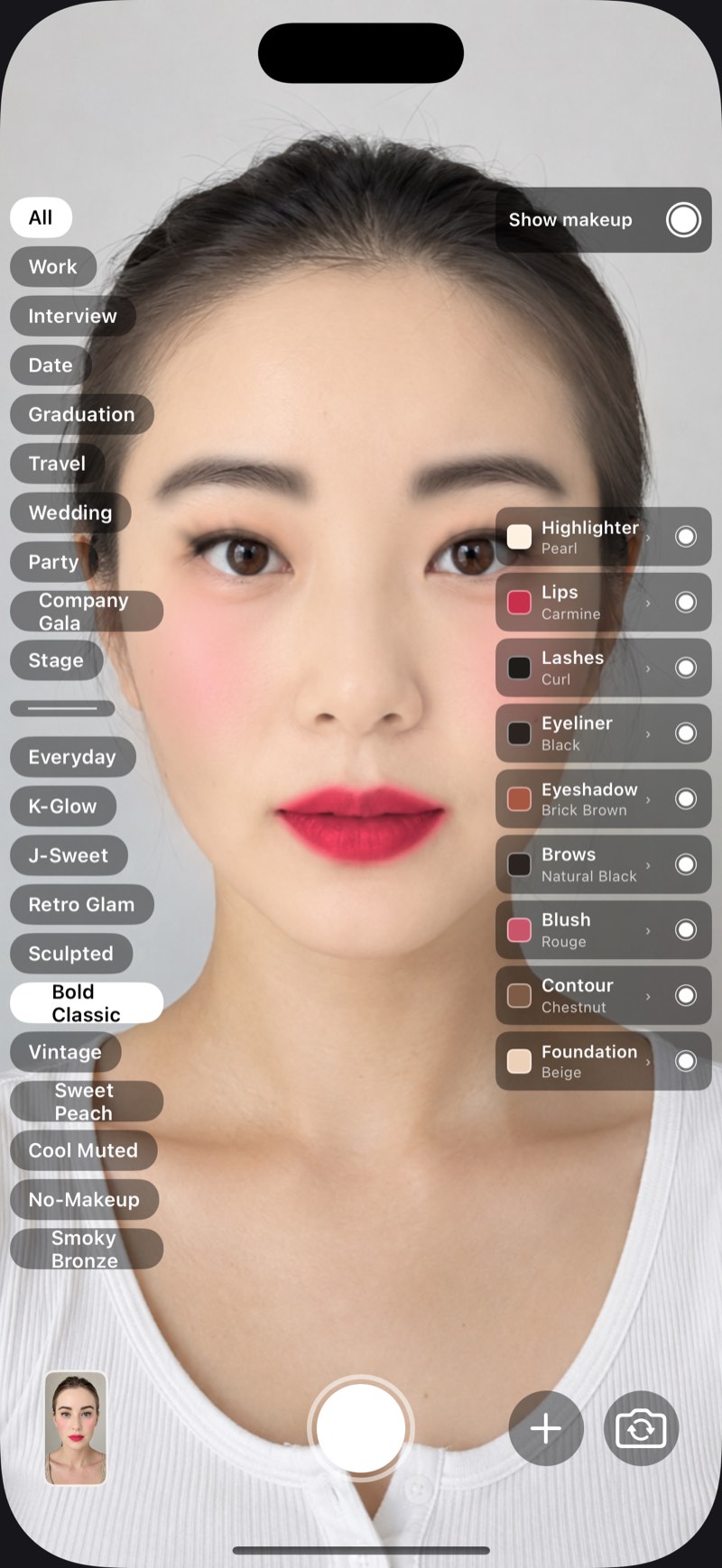
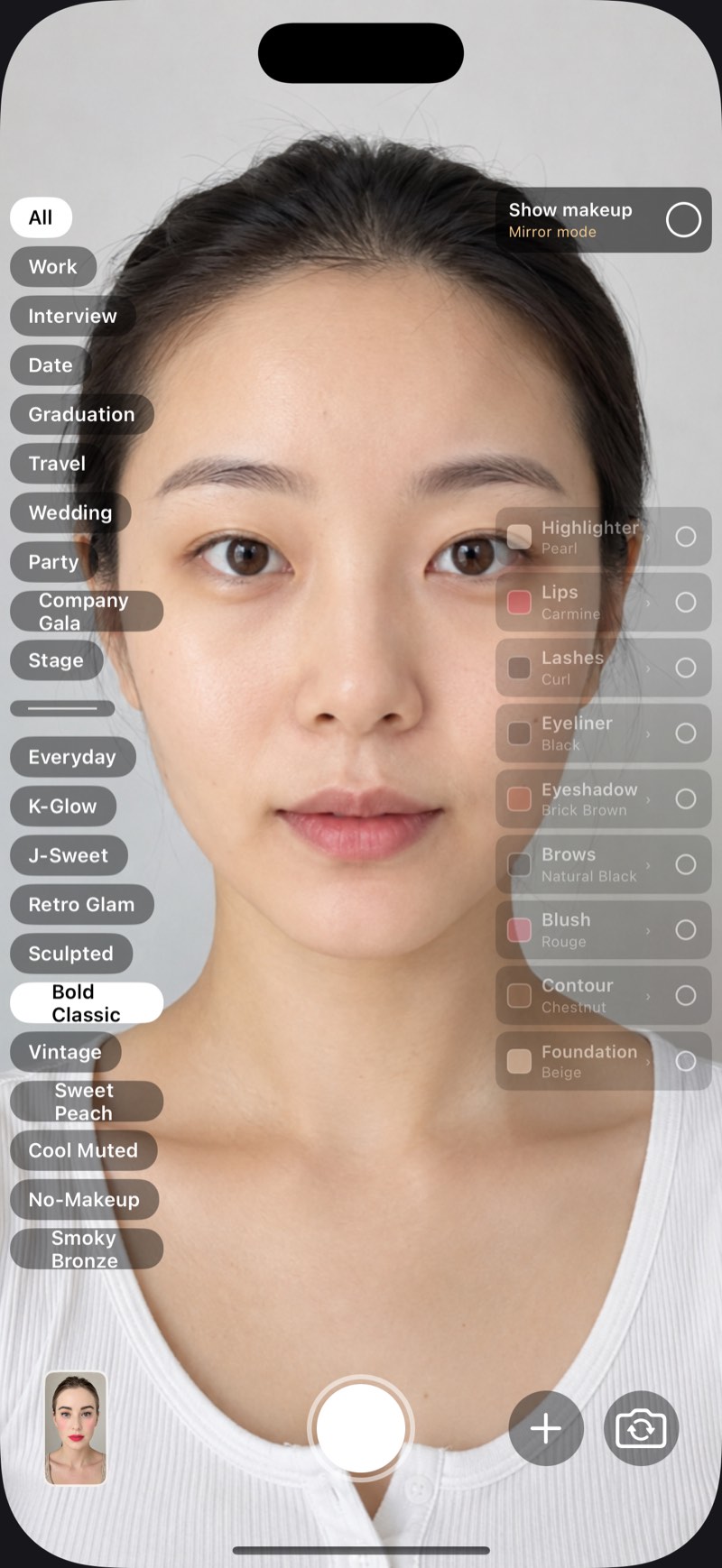
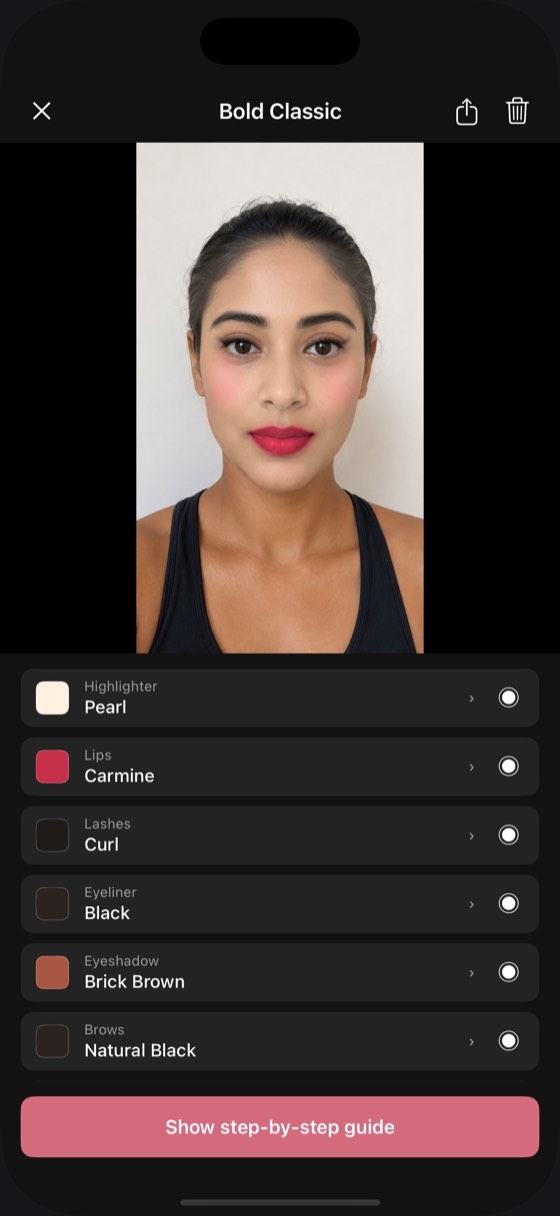
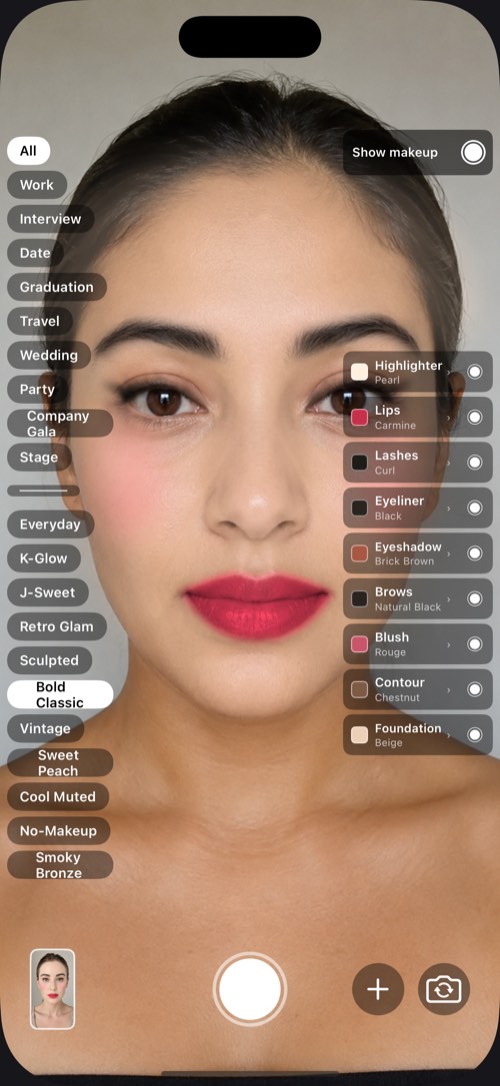
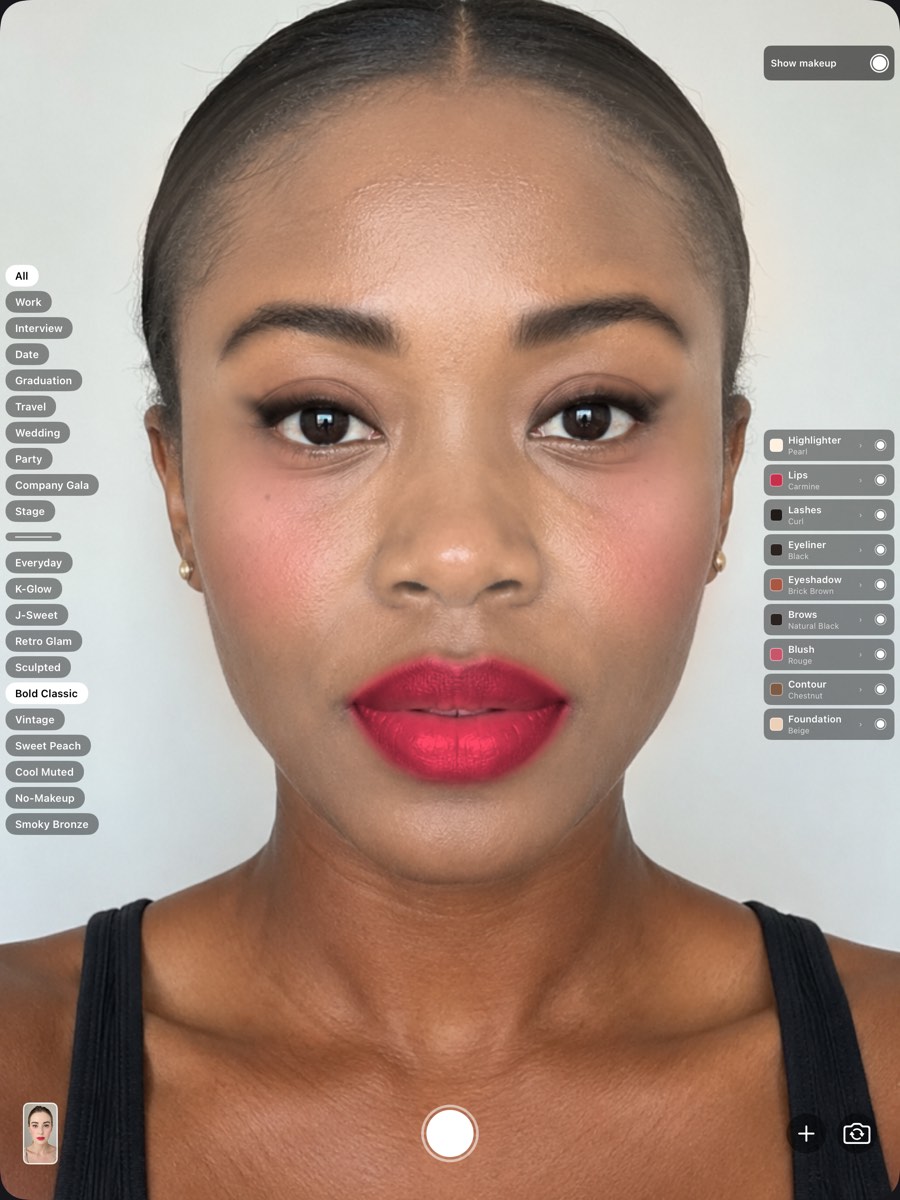
The camera screen with a full look applied, the nine layers and their shades listed down the right The very same frame with every layer switched off

Bare Bold Classic

Drag to compare

The face above

One look, nine layers

Each layer takes its own shade and its own opacity. These nine values are the ones on the face above, read straight out of the app's own colour library — not picked for this page.

Lashes are sorted by shape rather than colour, so that cell has no hex value. Eyeliner and brows share the same black; only the opacity differs.

  1. HighlighterPearl#FFF0E0 · 18%
  2. LipsCarmine#C7304A · 92%
  3. LashesBy shape
  4. EyelinerBlack#2A2320 · 80%
  5. EyeshadowBrick Brown#A85742 · 48%
  6. BrowsNatural Black#2A2320 · 64%
  7. BlushRouge#C9556A · 30%
  8. ContourChestnut#7E5B45 · 28%
  9. FoundationBeige#EDD0B8 · 40%

What it does

Point the front camera at yourself — or try a look lying down, makeup already off

A photo from your library, or one a friend sent you, works just as well as the live viewfinder.

Five faces, one set of shades

The same shades land differently on different skin — as they should

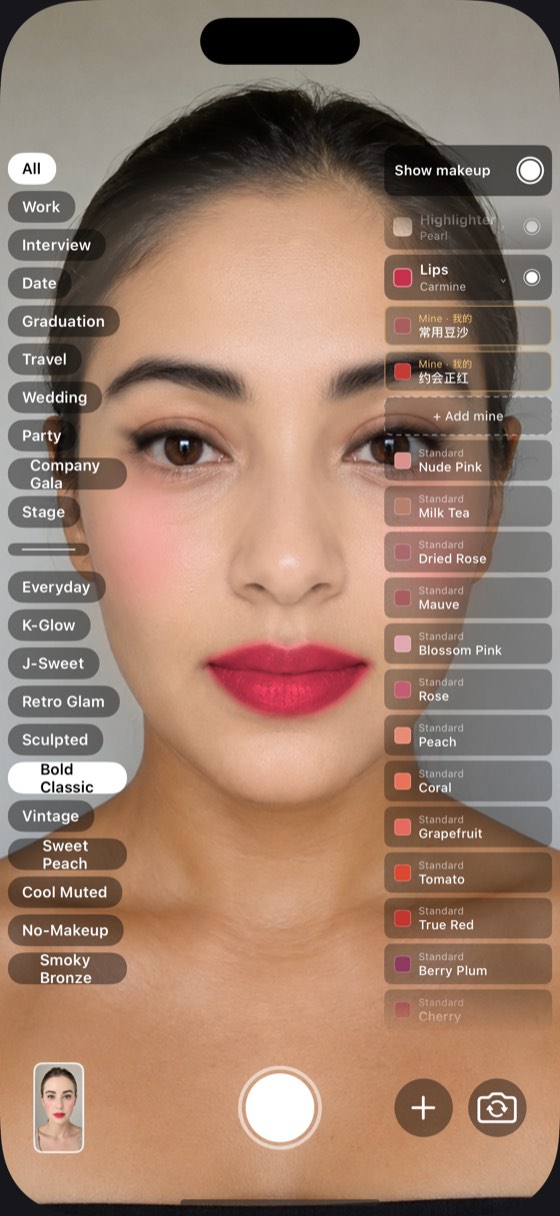
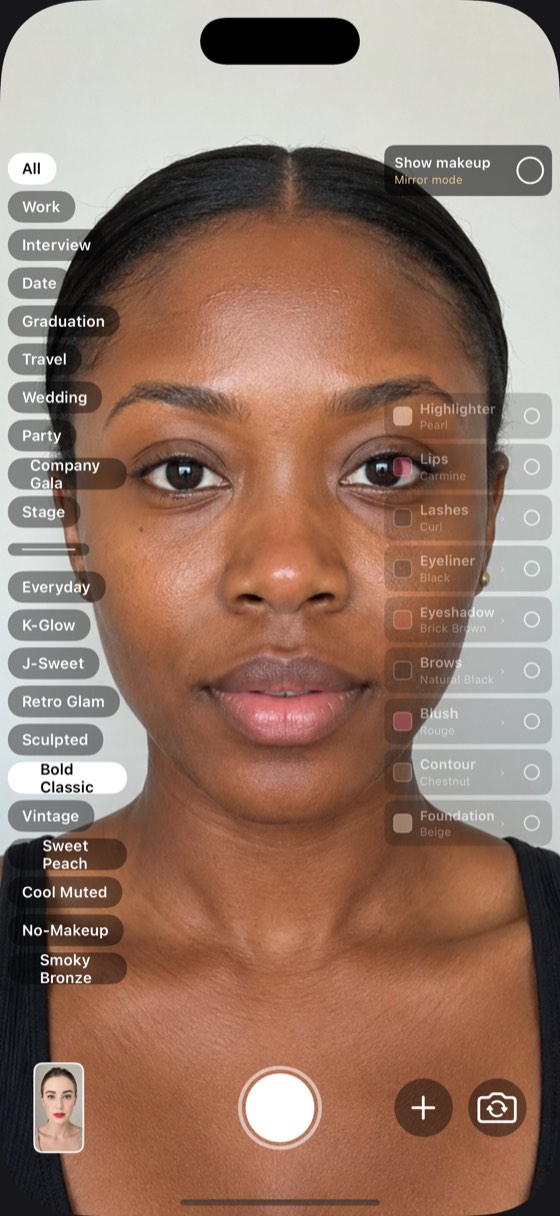
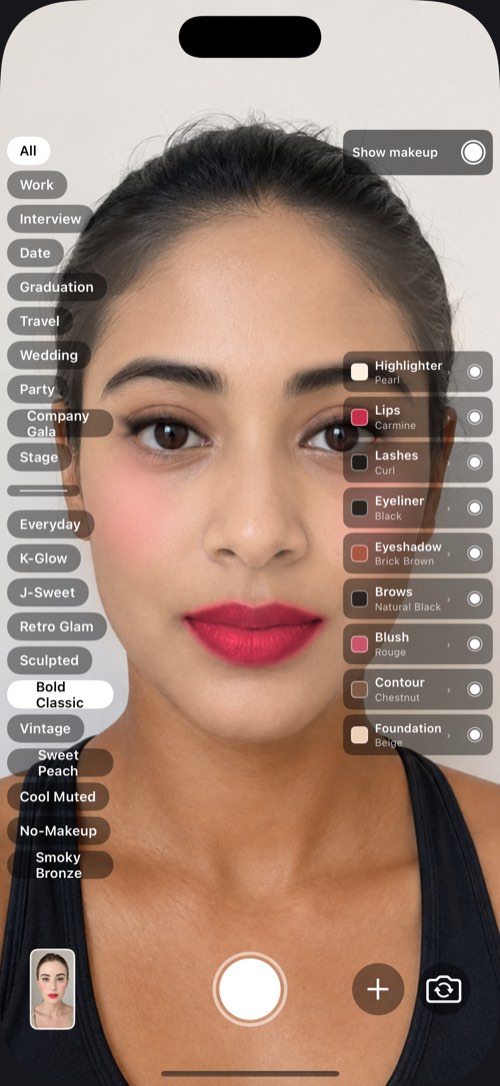
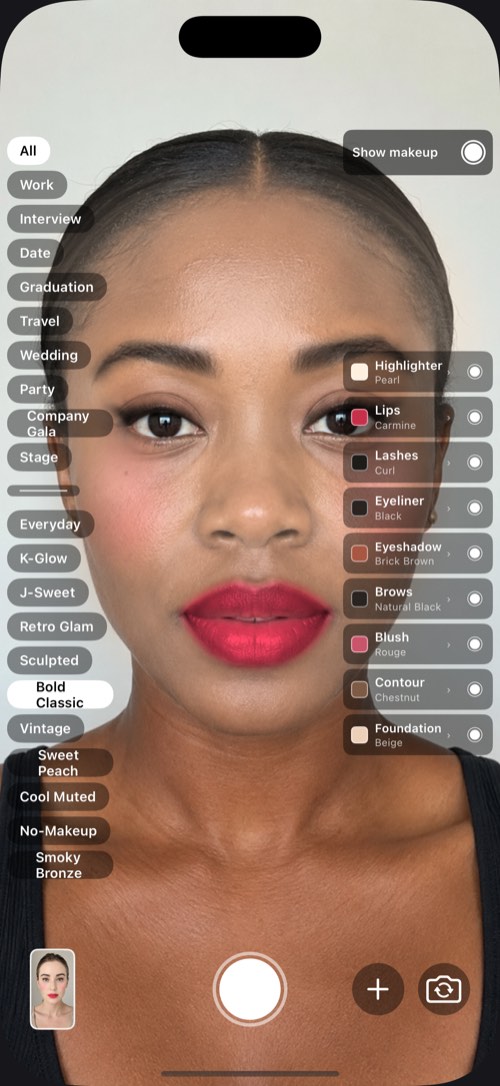
Because makeup shifts only the chroma and keeps the luminance you already have, foundation and contour follow your own skin instead of pushing everyone toward one face.

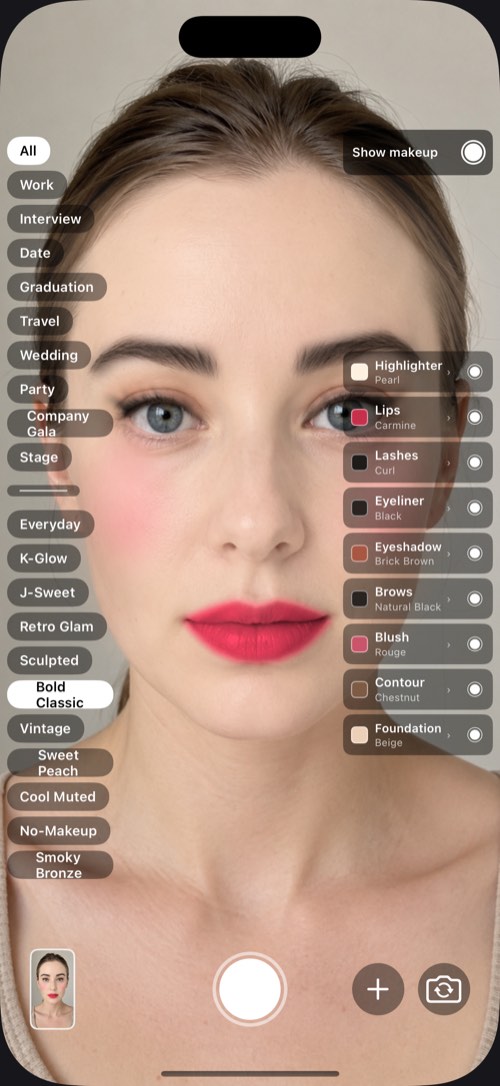
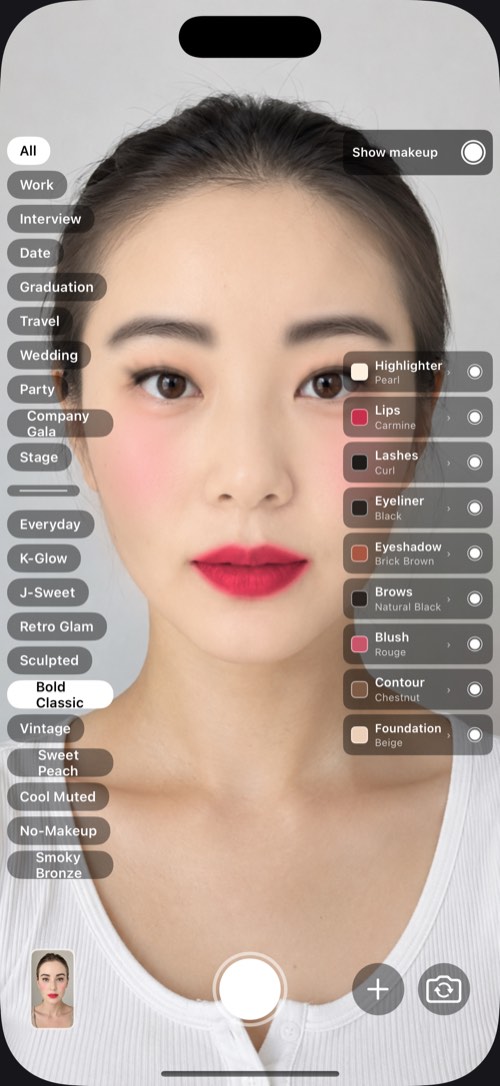
Face 1 of five, wearing the same set of shades
Face 2 of five, wearing the same set of shades
Face 3 of five, wearing the same set of shades
Face 4 of five, wearing the same set of shades
Face 5 of five, wearing the same set of shades

All five run the same look. Not one of the nine values was changed — only the model.

What it refuses to do

No skin smoothing.
No blemish removal.
No face slimming.

This is a tool for answering “does this lipstick suit me?” — not a filter that makes you look like someone else.

The moment the light and shadow on your face is altered, what you're looking at is no longer the effect of the product — and that effect is the one thing you wanted to know.

Check it yourself

It cannot reach the network

Not “we promise not to upload” but “it physically cannot”. The Android manifest declares exactly two permissions, and these are they:

<uses-permission android:name="android.permission.CAMERA" />
<uses-permission android:name="android.permission.WRITE_EXTERNAL_STORAGE"
    android:maxSdkVersion="28" />

There is no INTERNET permission — at the operating-system level, no request can leave. Anyone can download the package, unpack the manifest and confirm it. The storage permission is only needed on Android 9 and below, to write a picture into the gallery; from Android 10 onward, not one permission is required.

There is no photo-library permission either: picking a photo goes through the system picker, which hands over only the one you chose. Your photos, your saved looks and the products you add live on your phone alone — we have no server, and therefore no accounts.

Privacy

One app, three devices

iPhone, iPad, Android

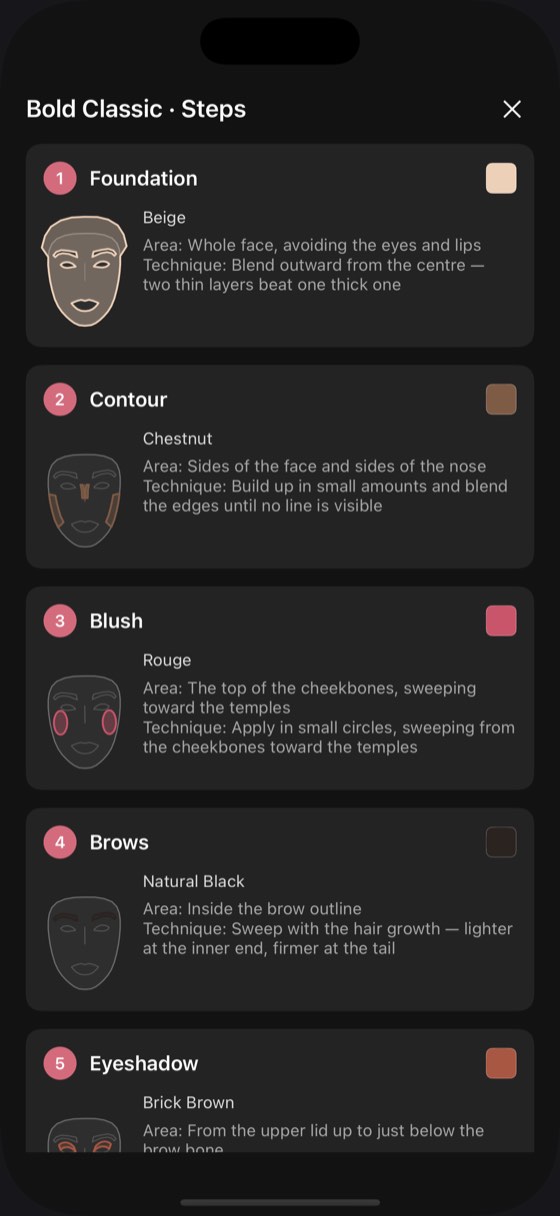
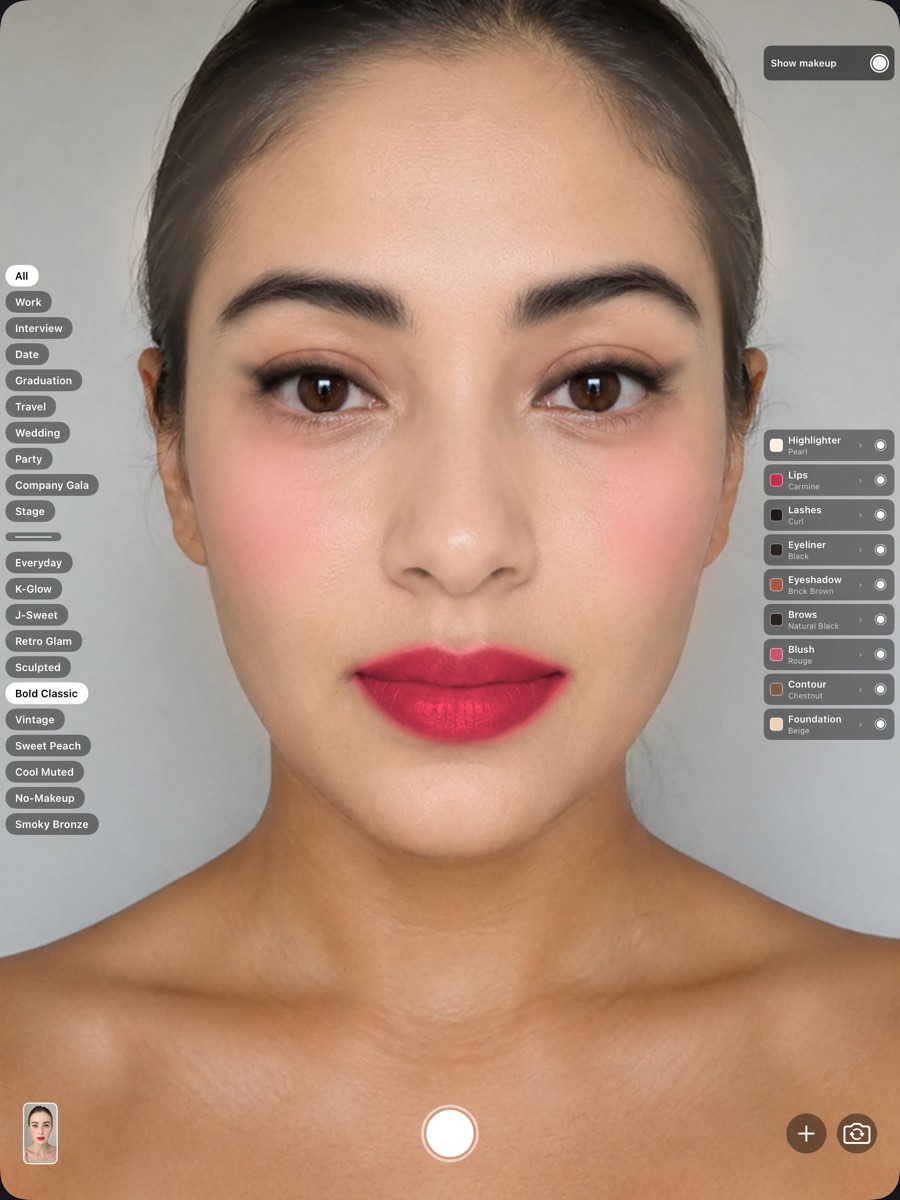
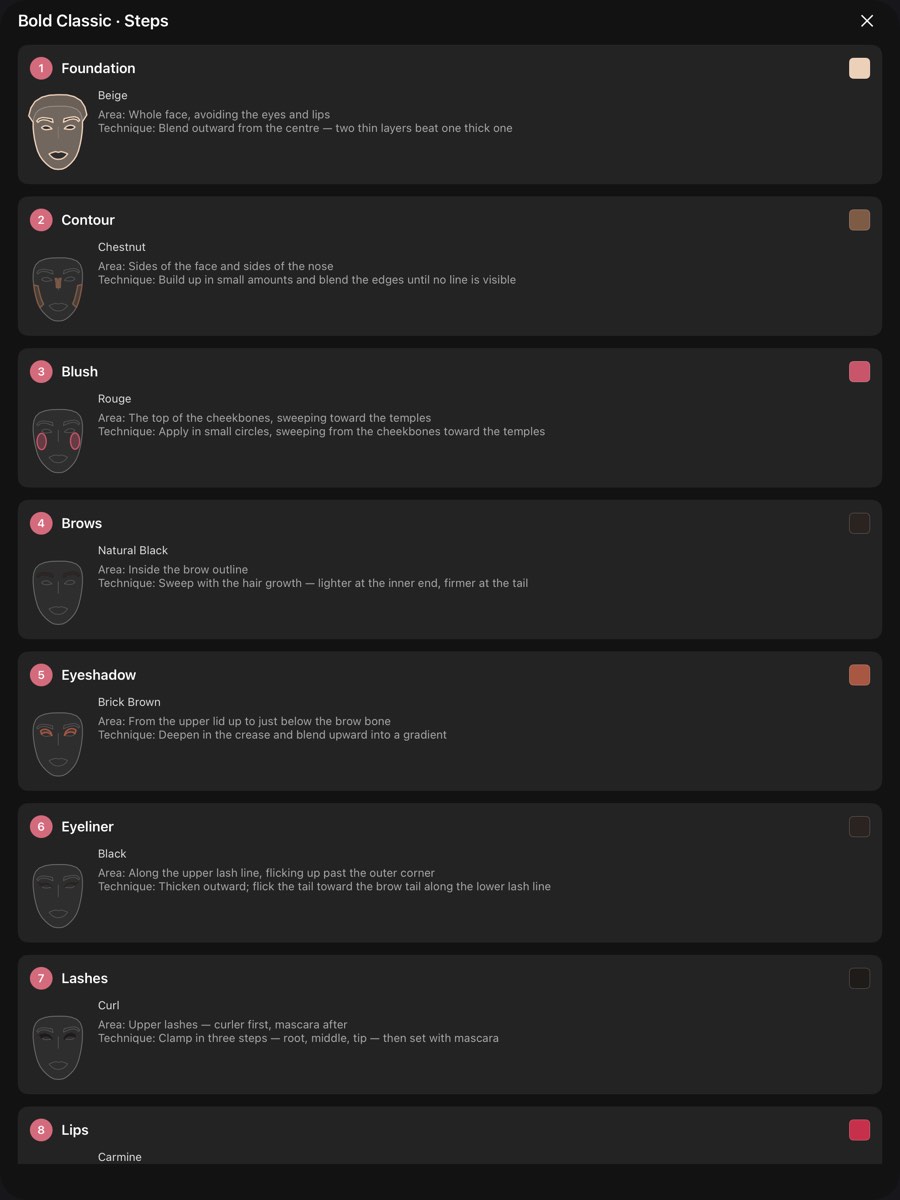
One codebase, the same algorithms and the same colour library. iPad and iPhone are a single app, submitted once — and on the larger screen the guide shows all nine steps at once.

The Android build has the same layout and the same colour library, matched feature for feature with the Apple one. The pictures here were taken on iPhone and iPad.

Not in the stores yet

The app is being prepared for release. Once it is live, the App Store and Google Play links will appear here.

iPhone · iPad · Android